Manage Your Minecraft Bedrock Server Like a Pro
Professional web-based management for Minecraft Bedrock Dedicated Server. Monitor, control, and automate your server with an intuitive interface.
Windows: Manager UI with automated setup • Linux: REST API with systemd service
Everything You Need
Powerful features to manage your Minecraft server effortlessly
Windows Manager UI
Native Windows desktop application built with .NET MAUI. Manage your server without opening a browser. Includes all web features in a fast, modern desktop app.
Pack Management
Upload and manage resource packs and behavior packs directly from the web interface. Enable/disable packs for your world with one click.
Player Allowlist
Control server access with allowlist management. Add/remove players with Xbox Live XUID lookup. Set player limit exceptions for VIPs.
Real-Time Monitoring
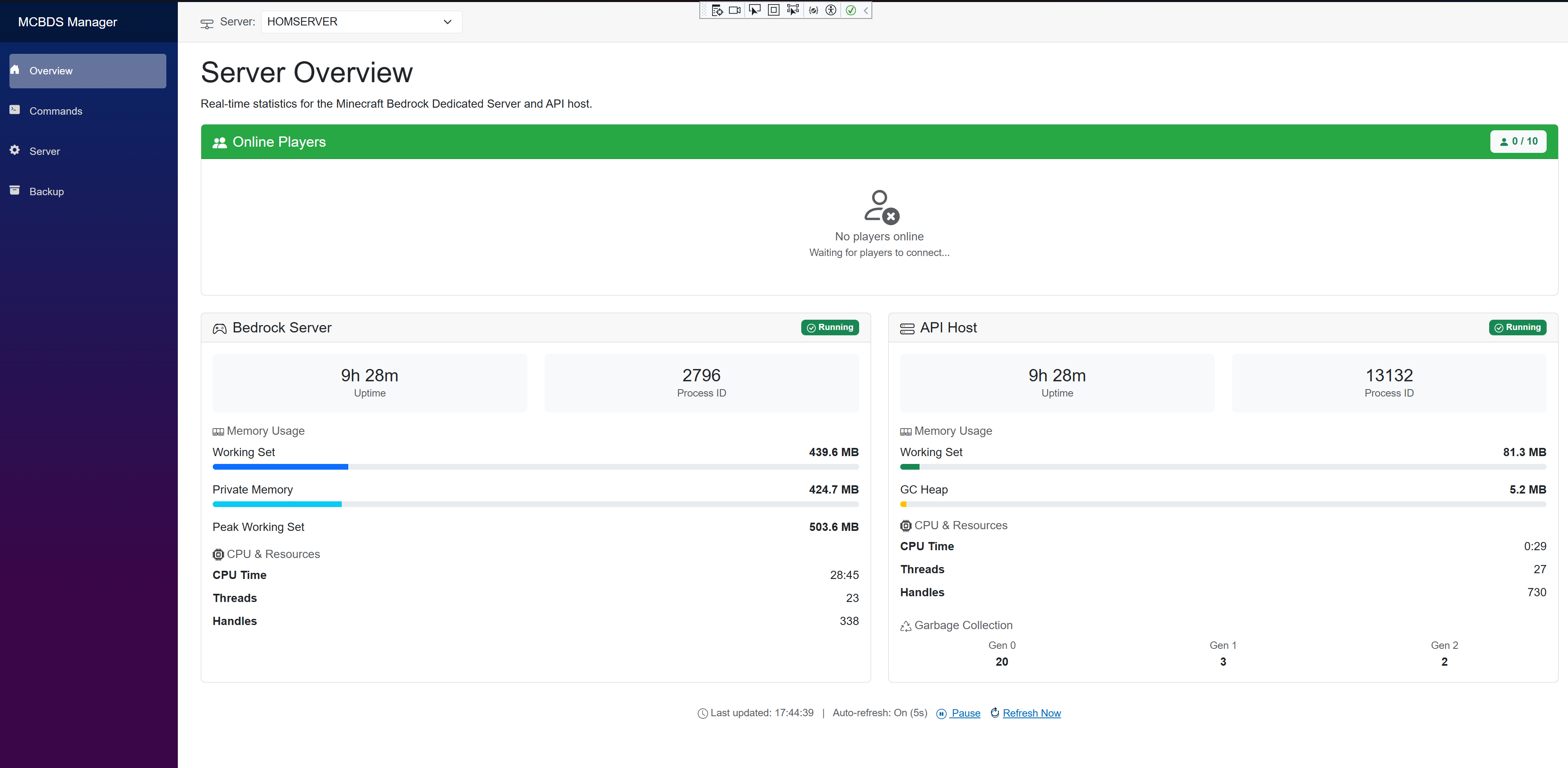
Live server statistics including CPU usage, memory consumption, uptime, and player count. Stay informed with auto-refreshing dashboards.
Smart Command Console
IntelliSense-powered command interface with autocomplete, player suggestions, and real-time log viewing. 40+ Minecraft commands with parameter hints.
Automated Backups & Restore
Schedule automatic world backups with configurable frequency and retention. One-click world restore from any backup. Never lose progress again.
Server Configuration
Edit server.properties directly from the web interface. Organized by category for easy navigation. No SSH or FTP needed.
Player Tracking
See who's online in real-time with pulsing live indicators. Track player join/leave events. Quick player management from the dashboard.
Multi-Platform
Access from desktop, mobile, or tablet. Native Android app available. Manage your server from anywhere, anytime.
HTTPS Support
Full HTTPS and SSL/TLS certificate support for secure connections. Protect your server management with encrypted communications.
Multi-Server Management
Manage multiple Minecraft servers from one dashboard. Switch between servers, independent configs, centralized monitoring.
Built with Modern Technology
Leveraging the latest .NET technologies for maximum performance
.NET 10
Latest FrameworkBlazor
Modern Web UIWindows Service
RecommendedDocker
Deprecated v1.2.NET MAUI
Native MobileEasy Windows Installation
Get your server running in minutes
Windows Service Installer
Professional installation with automatic configuration
5-10 min
Setup Time
1-Click
Installation
Auto-Start
On Boot
- Windows 10/11 & Server 2019+ support
- Automatic Windows Service setup
- Firewall configuration included
- Settings preserved during upgrades
- Web dashboard & mobile apps
Ready to Get Started?
Download MCBDS Manager today and take control of your Minecraft Bedrock Server
Open Source • Free • MIT License
🚀 Coming Soon
Expanding the MCBDS ecosystem with native applications
Windows Desktop App
Q1 2025Native Windows desktop application with system tray integration, real-time notifications, and offline support. Manage your server without opening a web browser.
- System Tray Integration
- Desktop Notifications
- Offline Support
- One-Click Access
Android Play Store
Q2 2025Full-featured Android app on Google Play Store for managing your Minecraft server on the go. Native UI optimized for mobile with push notifications and home screen widgets.
- Google Play Store Distribution
- Push Notifications
- Home Screen Widgets
- Offline Command Queue